
Custom Keyboards Guides Hub
Kick, place, trade, and rebirth with a plan instead of filling every slot with junk.
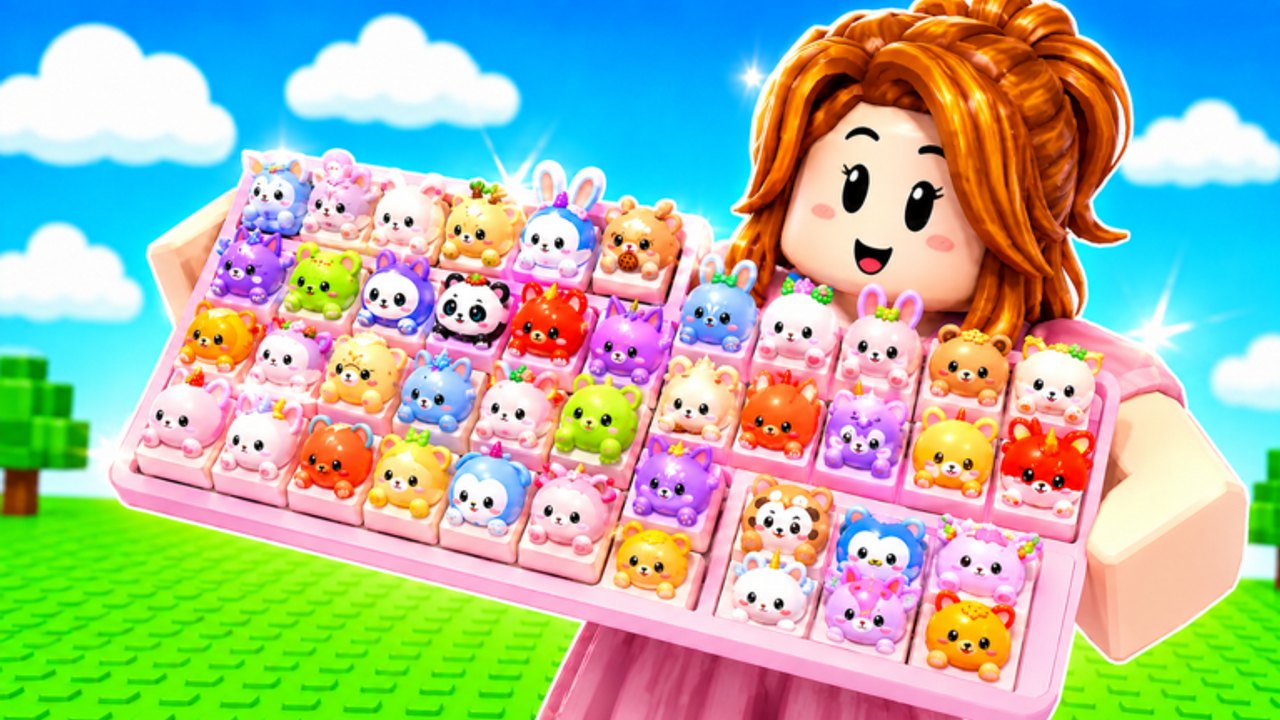
This Guides Hub is the how-to map for Custom Keyboards on Roblox. The experience launched on 13 July 2026 as a live simulation tycoon from the Kick a Keyboard group. You join a 4-player server, kick a keyboard to roll keycaps, place those caps on your plot, and step on them for money. Kick Power, mutations, offline earnings, and trading all sit on top of that loop. These pages teach the loop in order instead of dumping every mechanic on one scroll.
Start here if you just joined. Then pick the guide that matches the wall you actually hit: a weak kick, a board full of junk, a trade that felt like a scam, a Boba timer you ignored, or a rebirth you pressed too early.
Guide map
- Getting Started is the first hour: plot, kick, place, step, codes, group.
- How to kick is the roll action, Kick Power, and train speed.
- How to get rare keycaps is farming without fake drop rates.
- How to trade is the live trading window on a 4-player server.
- Boba event is the limited window tied to the BOBA code.
- Rebirth is the reset that should raise income, not erase a good board by accident.
- Offline earnings is the official idle: place paying caps and leave.
- How to get mutations is how mutants drop, how to lock them, and how not to sell them.
- How to earn cash is step money, Kick Power, codes, and why paint does not print coins.
Pair these with the Codes Hub, the Tier List Hub, and upgrade priority. Guides tell you what to do. Tiers tell you what to keep. Tools tell you what to buy next.
The loop in one paragraph
Kick the keyboard. A roll lands as a keycap. Place the cap on an open slot. Walk or stand on it so it pays. Sell low rarity when slots fill. Buy a better keyboard so the next kick has more Kick Power. Train speed and use the upgrade station when the HUD offers them. Claim daily and playtime rewards. Join Kick a Keyboard for group extras. Redeem BOBA, 650LIKES, 1000LIKES, 1500LIKES, TRADING, and 2000LIKES from the codes list. Trade duplicates instead of rerolling forever. Rebirth when the next Kick Power purchase no longer moves income.
That is the whole game. Every guide on this hub is a zoom-in on one sentence of that paragraph.
First session versus later sessions
Your first session should stay small. Redeem codes, join the group, kick until you can fill a few slots, and spend cash on Kick Power rather than skin plots. Getting Started is written for that hour. Do not open a trade until you can read rarity and step money. Do not rebirth until you have read the prompt and the rebirth page.
Later sessions are about filters. Equip-best is a starting sort, not a brain. A mutated mid rarity cap can beat a blank high rarity cap. Check keycap tiers and mutations before you lock a layout. If you AFK, remember offline earnings already exist; a script is optional, against Roblox rules, and visible to the other three players.
How to use this hub during events
When the Roblox title or description mentions Boba, open Boba event before you sell themed drops. Event junk can still be quest items. When likes-milestone codes appear, redeem them by hand using how to redeem, then come back to whatever guide you were in. Codes do not replace Kick Power. They just inject extra rolls into the same loop.
If a patch changes the HUD, check changelog and events. This wiki will not invent button coordinates that move every week. The verbs stay the same: kick, place, step, sell, trade, rebirth.
What these guides will not invent
- Named artisan keycap SKUs that the developers have not published.
- Numeric drop percentages.
- A secret code that is not on the Roblox page or group channel.
- A promise that auto kick is undetectable.
If you came from Custom Keyboard Tower, Paint My Keyboard, Build a Keyboard, or +1 Speed Keyboard Escape, this is a different place. The owner is cemoshh (cemo) under Kick a Keyboard. The listing name is Custom Keyboards! [TRADING]. Match those before you follow any step here.
When you finish a guide, jump to a sibling instead of rereading the same intro. Kick problems go to how to kick. Slot problems go to rare keycaps. Deal problems go to how to trade. Timer problems go to Boba. Reset problems go to rebirth. That is the whole hub.
Frequently Asked Questions
Codes, Kick Power, trading, and Boba answers in one place.
Which Custom Keyboards guide should I open first?
Open Getting Started, redeem codes, then use how to kick if rolls feel weak.
Do these guides replace the tier list?
No. Guides teach actions. The Tier List Hub ranks what to keep. Use both.
Is Custom Keyboards still unreleased?
No. It launched on Roblox on 13 July 2026 and is a live 4-player tycoon.
Where do trading steps live?
Follow how to trade and the trading page. Do not trade during an auto-sell script.
What is the Boba event?
A limited window tied to the BOBA code and themed rewards. Read Boba event before you sell those drops.